Welcome to our comprehensive SwitchLink IoT app review and setup guide! If you are building an IoT project today, finding an IoT platform for beginners that is easy to use, affordable, and flexible can be a major challenge.
Whether you are a student, hobbyist, or professional developer, this thingsinnet IoT platform tutorial is designed to help you quickly understand how to build and control connected hardware systems without complex backend programming.
Many developers start with traditional IoT platforms, but soon they face common issues such as:
- Higher monthly subscription costs
- Vendor lock-in
- Limited backend control
- Difficulty scaling to many devices
- Limited support for platform customizations
This is exactly where SwitchLink comes in as a leading choice when choosing an IoT platform for beginners.
Unlike many other platforms, SwitchLink gives you ,full control over your data and infrastructure, while keeping the user experience extremely simple.
What is SwitchLink? thingsinnet IoT platform tutorial
SwitchLink is a modern IoT platform designed to make real-time device monitoring and control simple, affordable, scalable, and fully customizable.
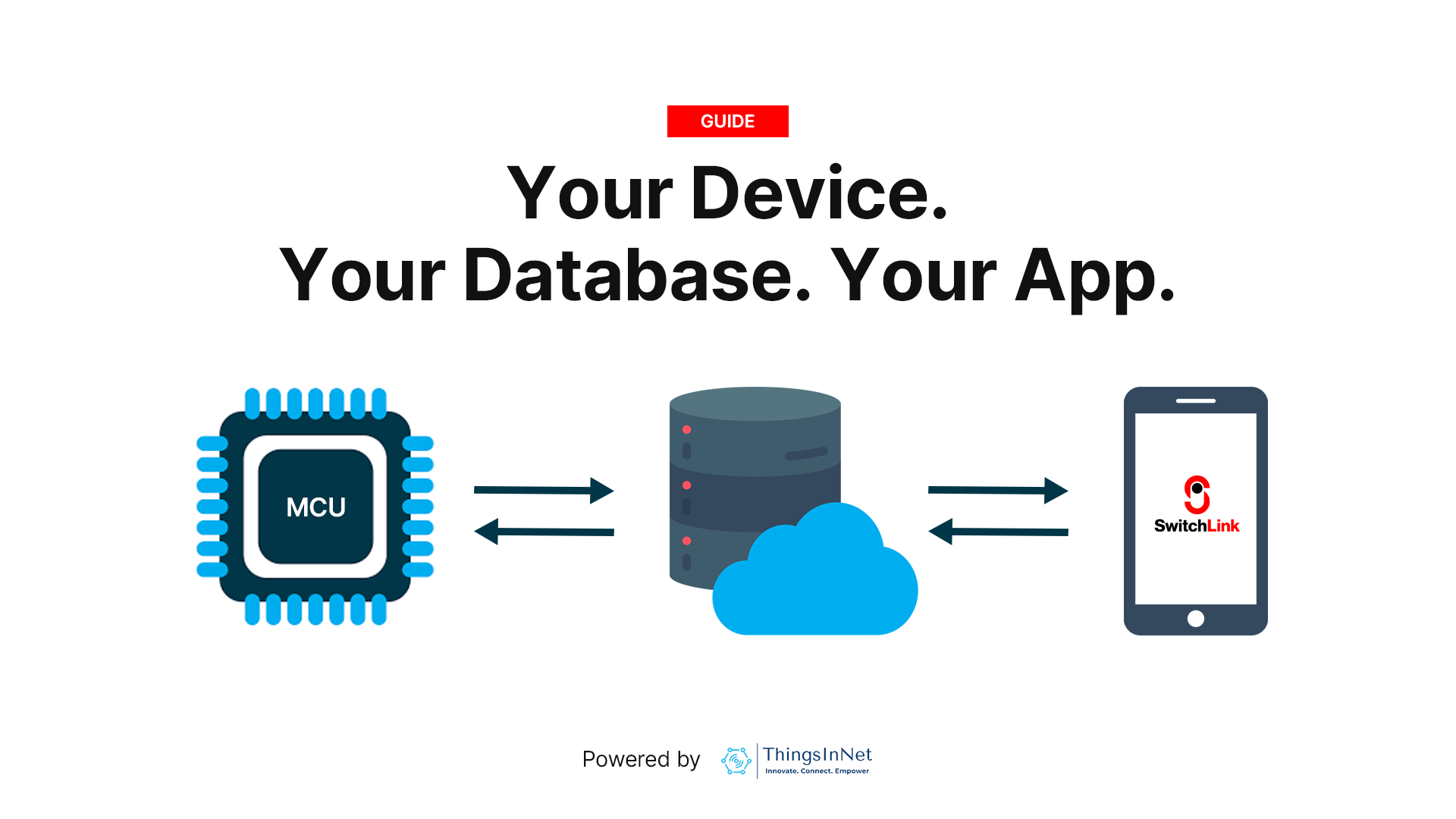
In simple words, SwitchLink helps your device talk to your own cloud database and mobile app in real time.
The core idea is simple: your device + your database + your app = your IoT system
This gives you:
- Full cloud ownership
- Real-time control
- Automatic mobile UI generation
- Lower recurring costs
- Better scalability
At only $3 per month or $24 annually, it is designed to be highly affordable for:
- Technicians
- Engineers
- Researchers
- Students
- Startups
- Small businesses
- Industrial prototypes
The Three Main Parts of SwitchLink
1) Hardware Device
This is the physical IoT device or MCU.
Typical examples include:
- ESP32
- ESP8266
- Raspberry Pi
- STM32
- Other compatible microcontrollers (with internet access)
These devices connect to sensors and actuators such as:
- LEDs
- Relays
- Pumps
- Temperature sensors
- Humidity sensors
- Buttons
- Any other sensors and actuators
SwitchLink is hardware-flexible, which means it can work with most MCU-based systems.
2) Firebase Realtime Database
This is the heart of SwitchLink.
Instead of a vendor-controlled cloud, SwitchLink uses your own Firebase Realtime Database.
This means:
- Your credentials
- Your database
- Your security rules
- Your data
remain fully under your control.
Firebase enables real-time two-way communication, which means updates appear instantly between the device and the mobile app.
For example:
- Sensor sends temperature → App updates immediately
- User taps switch in the App → Relay changes instantly
This real-time sync is one of the biggest strengths of the platform.
3) Mobile App / Dashboard
The interface users see.
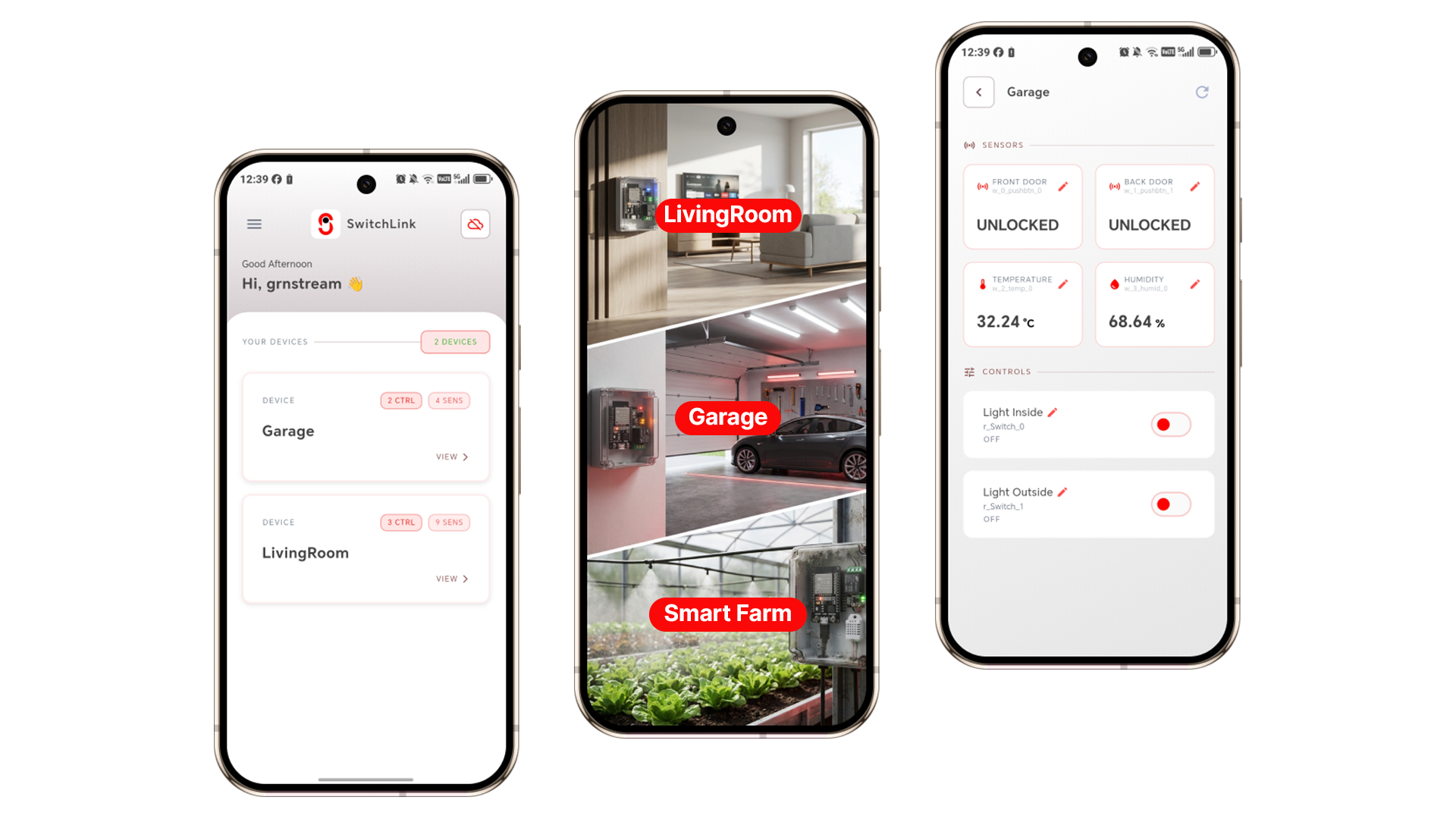
SwitchLink automatically creates the UI based on variable names stored in Firebase.
For example:
w_relay1→ ON/OFF switchr_temperature→ temperature displayr_humidity→ humidity card
This means you do not need to manually design dashboards every time.
The app intelligently builds the interface.
How SwitchLink Works
The flow is very simple.
Device → Firebase → Mobile App
Mobile App → Firebase → Device
This creates two-way real-time communication for reading data and controlling devices.
• Read Data
A temperature sensor connected to ESP32 sends:
r_temperature = 28.5This value is instantly updated in Firebase and then the mobile app immediately shows:
Temperature: 28.5°C
• Control Device
The user taps a switch in the app.
This writes: w_relay1 = 1
w_relay1 = 1The ESP32 reads the updated value and turns ON the relay. This is ideal for controlling devices such as Pumps, Lights, Fans and Motors etc.
SwitchLink IoT App Review: Why It Is Different
This is where our SwitchLink IoT app review highlights what makes the platform stand out for creators and developers.
1) Very Affordable
One of its biggest advantages is pricing.
Pricing
- Free - with ads
- $3/month
- $24/year
Compared to many IoT platforms that start much higher, this makes it extremely accessible.
2) No Vendor Lock-In
This is one of the strongest technical advantages.
Because it uses your own Firebase project, you fully own:
- Data
- Cloud
- Access
- Scaling
This gives long-term freedom.
3) Auto UI Generation
This is one of the smartest features.
The UI automatically builds itself using naming convention.
Examples:
- w_ = writable control
- r_ = read-only data
4) Perfect IoT Platform for Beginners and Developers
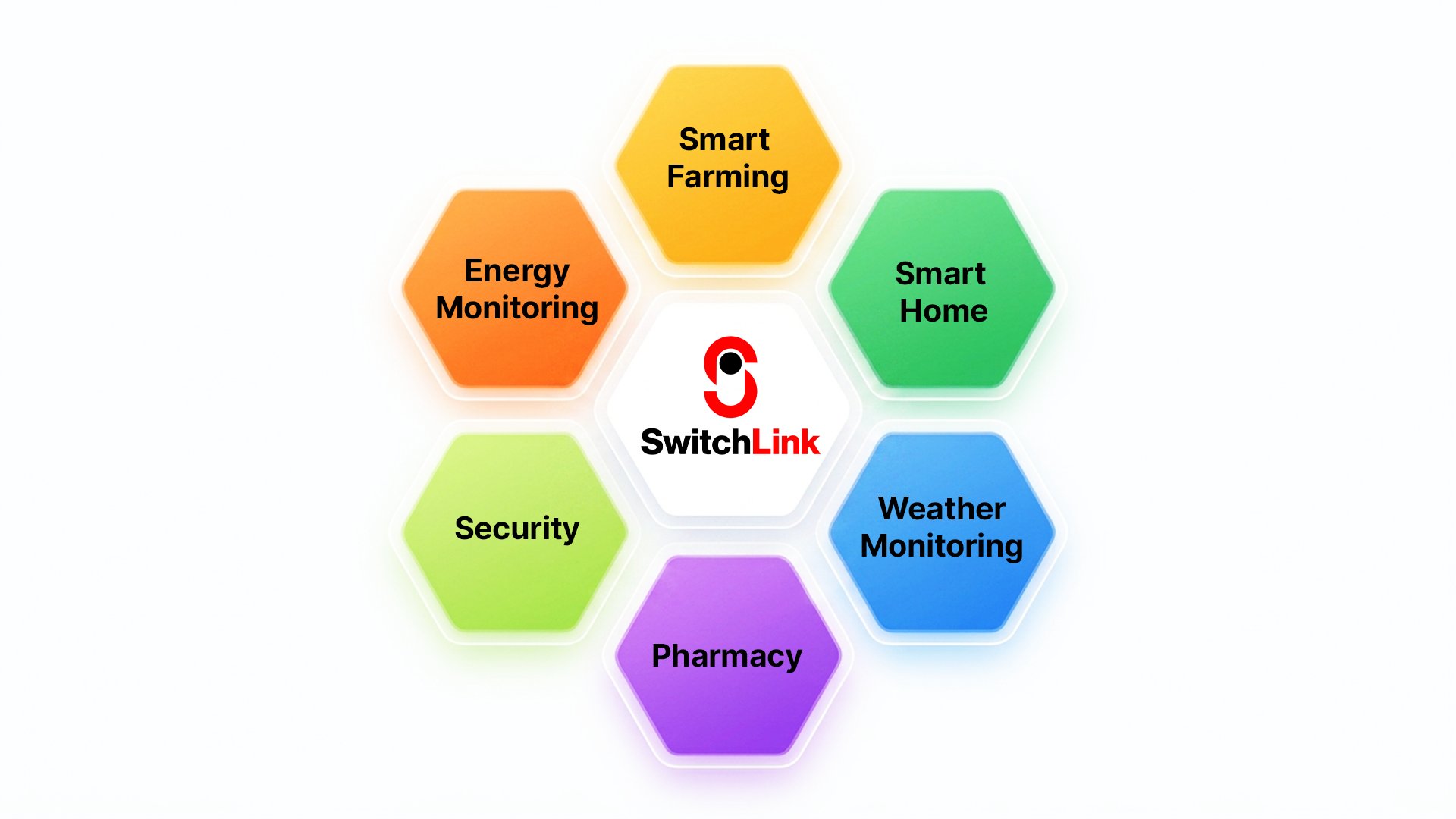
Because of its minimal learning curve, SwitchLink is an ideal IoT platform for beginners. Typical applications include:
- Smart farming
- Smart homes
- Industrial monitoring
- IoT courses
- University labs
It helps users understand real IoT architecture and is suitable for real-world deployments. This makes it a great practical starting point for anyone following a thingsinnet IoT platform tutorial.
Real-Life Use Cases
Conclusion: Is SwitchLink Right For You?
In this SwitchLink IoT app review, we have shown how the platform balances ease of use with control.
It combines:
- Affordability
- Real-time control
- Cloud ownership
- Scalability
- Simplicity
In simple words, SwitchLink helps you build smart IoT systems faster and at a much lower cost, acting as a highly accessible IoT platform for beginners.
If you want an IoT platform that gives you full control without high monthly costs, SwitchLink is a smart choice. If you are ready to begin, follow our step-by-step thingsinnet IoT platform tutorial to connect your first device today.